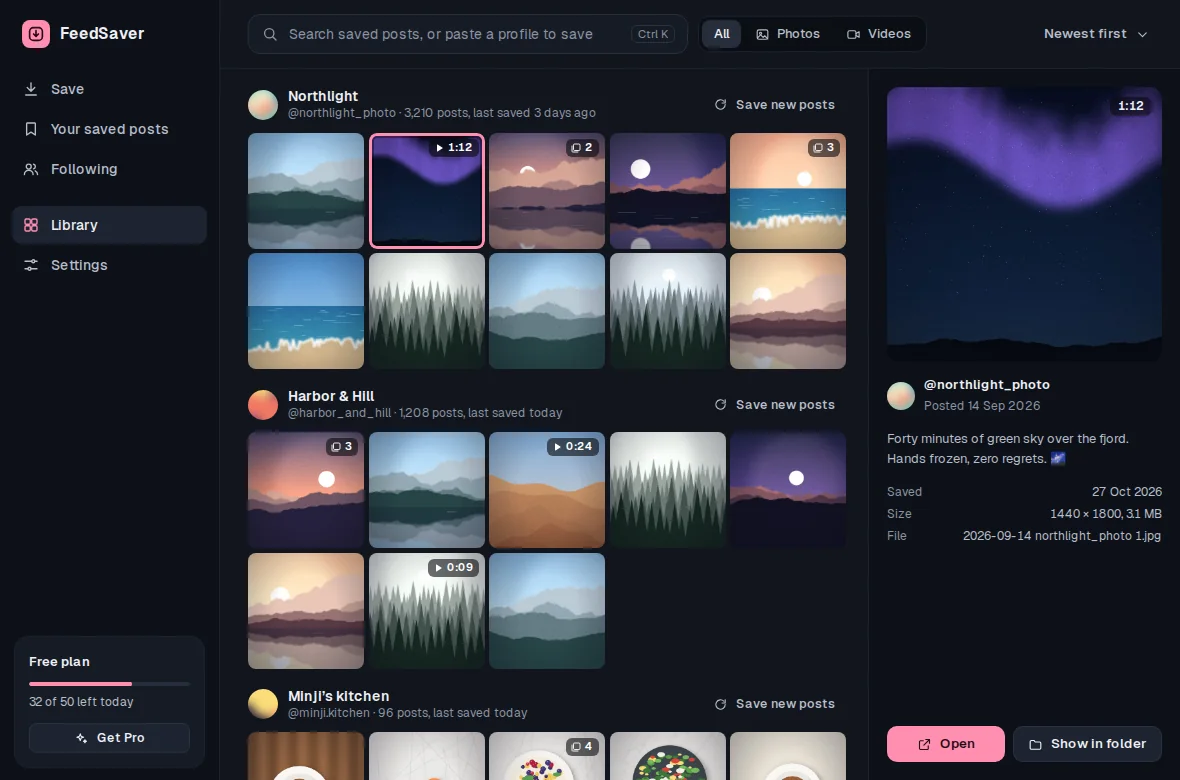
With Captions turned on, each post's caption is saved as a plain text file next to the photo, and new file names start with the post date. The caption, date and account also show up in FeedSaver's library, where you can search by word.
How it keeps captions and dates
- Captions as text files. Each post's caption is saved as a
.txtfile with the same name as the post's photo (a carousel's images share it), in UTF-8, so emoji and every language come through intact. A post with no caption gets no text file. - Dates in the file name. New files start with the date the post was published, like
2026-09-29_, so a folder sorts in order by name. - Search by word. Type any word from a caption, a file name or an account name, and the library narrows to matching posts.
- On or off. Captions is a tick box under Include, and you can set the default in Settings. Captions go with photos and videos; there's no caption-only save.
Save an account with its captions, step by step
- Log in and type the @usernameFeedSaver opens Instagram in its own window and you log in there.
- Choose AllKeep Captions ticked under Include. Tick Reels too if the account posts there.
- Let it runBig accounts take time at FeedSaver's steady pace. If you have to stop, you can resume later.
- Search itOpen Library, type a word you remember, and click a result to see its caption and dates. Show in folder takes you to the file.
- Keep it currentIf the account is still posting, choose Only new next time to save just the new posts.
What it looks like on disk
city.history.archive/
  2026-08-14_city.history.archive_C4bK9s1uQ0x_01.jpg
  2026-08-14_city.history.archive_C4bK9s1uQ0x_02.jpg
  2026-08-14_city.history.archive_C4bK9s1uQ0x.txt   caption
  2026-08-02_city.history.archive_C5hT2mWnR8p.mp4
  2026-08-02_city.history.archive_C5hT2mWnR8p.txt
Because captions are ordinary text files, Windows search, a spreadsheet or any archiving tool can read them too. You're not locked into FeedSaver.
Honest limits
- Caption files count toward the free limit. Free saves 50 files a day, and each caption text file is one of them.
- Comments, likes and view counts aren't saved. The caption is saved as it reads when you download it; later edits aren't tracked.
- Only what Instagram shows. Deleted or hidden posts can't be saved, and Instagram may not show every old post. Save early if an account might disappear.
- Private accounts can only be saved if you follow them and are logged in.
Saving someone else's account? Keep it to what you have the right to save, such as your organization's own posts, or personal archiving where the law allows it.
Common questions
Does it keep emoji and non-English captions?
Yes. Caption files are saved as UTF-8 text, so emoji, accents and scripts like Korean or Arabic are kept exactly.
What if I turn captions on later?
The setting applies to new posts. Posts you already saved keep the files they have.
Is the library free?
Yes. The library and search are free. The free version saves up to 50 files a day; Pro is $39 once and removes the limit.